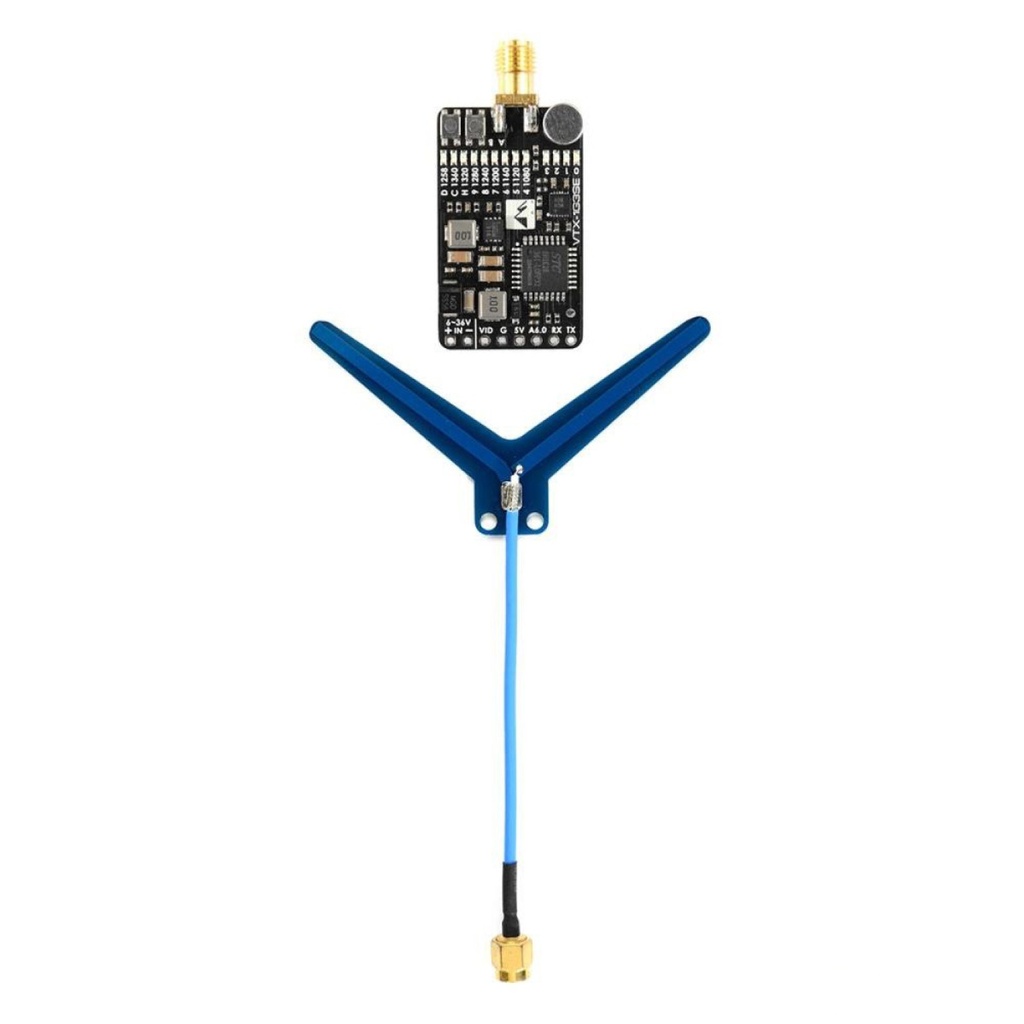
Matek Systems Video Transmitter VTX-1G3SE-9 1.2/1.3GHz 630mW
SKU:
N/A
Brand:
Mateksys
Guaranteed
safe
checkout




The reliable and efficient Matek Systems VTX-1G3SE-9 1.2/1.3GHz FPV video transmitter is designed to transmit video and audio signals from the quadcopter to the control panel. This transmitter has advanced electronics and a ruggedized design that guarantees its reliability and high performance in all conditions.
Advantages
- Can operate at a power of up to 630mV, which ensures stable signal transmission at a distance of up to 1.5 km.
- Supports 9 channels, which allows it to be used with different drones.
- Supports ELRS and Crossfire data transfer protocols, which allows it to be used with different receivers.
- Easy to set up and use.
- The transmitter has a built-in anti-interference system that ensures stable communication between the drone and the control panel.
- The transmitter has a built-in PIT-mode system that allows you to quickly and conveniently switch the transmitter power.
- The transmitter has a modular design that simplifies its repair and maintenance.
Specifications
- Frequency: 1080-1360MHz
- Antenna: SMA dipole antenna (center frequency 1240 MHz)
- Output power: 0.1mw(0, pit mode), 25mw(1), 200mw(2), 800mw(3)
- Input voltage: DC 6-36V (2-8S LiPo)
- Push-button control and LED indicators
- Built-in AGC microphone
- Power consumption:
- Video format: NTSC/PAL
- Audio: 6.5MHz and 6.0MHz
- Connector: SMA
- Dimensions: 36 x 21.5mm
- Weight: 9 g (without antenna)
CONTACTOS
- + IN-: 6-36V DC con protección de polaridad inversa
- VID: entrada de vídeo
- G: tierra
- 5V: salida del regulador incorporado, carga máxima 1,5 A
- Aud: entrada de audio de 6,5 MHz
- TX y RX: UART para actualización de firmware
CARACTERÍSTICAS
- Gestión de CMS a través del protocolo Tramp para 1.3G.
- Gestión de CMS a través del protocolo IRC Tramp.
- Control de botón pulsador e indicadores LED.
- Micrófono AGC incorporado.
Settings
- Press A button to select RF power levels, 0 (blue LED) = 0.1 mW, 1 = 25 mW. 2 = 200 mW, 3 = 800 mW
- Press and hold the B button for 2 seconds to enter the frequency setting. The frequency indicator flashes.
- Press the B button to select a frequency.
- When the LED flashes at the new frequency, there is no RF output at that frequency.
- The new frequency and output will be activated if no button is pressed within 3 seconds.
Su snippet dinámico se mostrará aquí...
Este mensaje se muestra ya que no brindó ni un filtro ni una plantilla para usar.

To install this Web App in your iPhone/iPad press
 and then Add to Home Screen.
