GENERAL
1. What tested payload capacity does the Ronin-S have?
During testing, a payload capacity of 3.6 kg (8 lbs) was achieved with maximum performance.
2. What is the operating temperature of the stabilization system?
-20 ºC to 45 ºC (4 ºF to 113 ºF).
3. Is the Ronin-S camera mounting plate compatible with any quick release system?
The Ronin-S camera mounting plate is compatible with the Manfrotto 501PL type. You can remove the camera from the Ronin-S and mount it on a tripod or a fluid head system.
4. How do you update the Ronin-S firmware?
To update the firmware, turn on the Ronin-S and connect it to a PC or Mac. Then launch DJI Assistant Pro for Ronin.
5. Does the Ronin-S come equipped with a tripod?
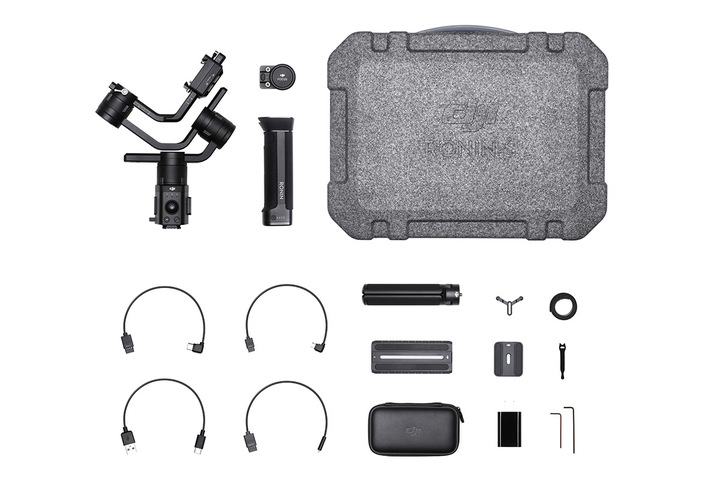
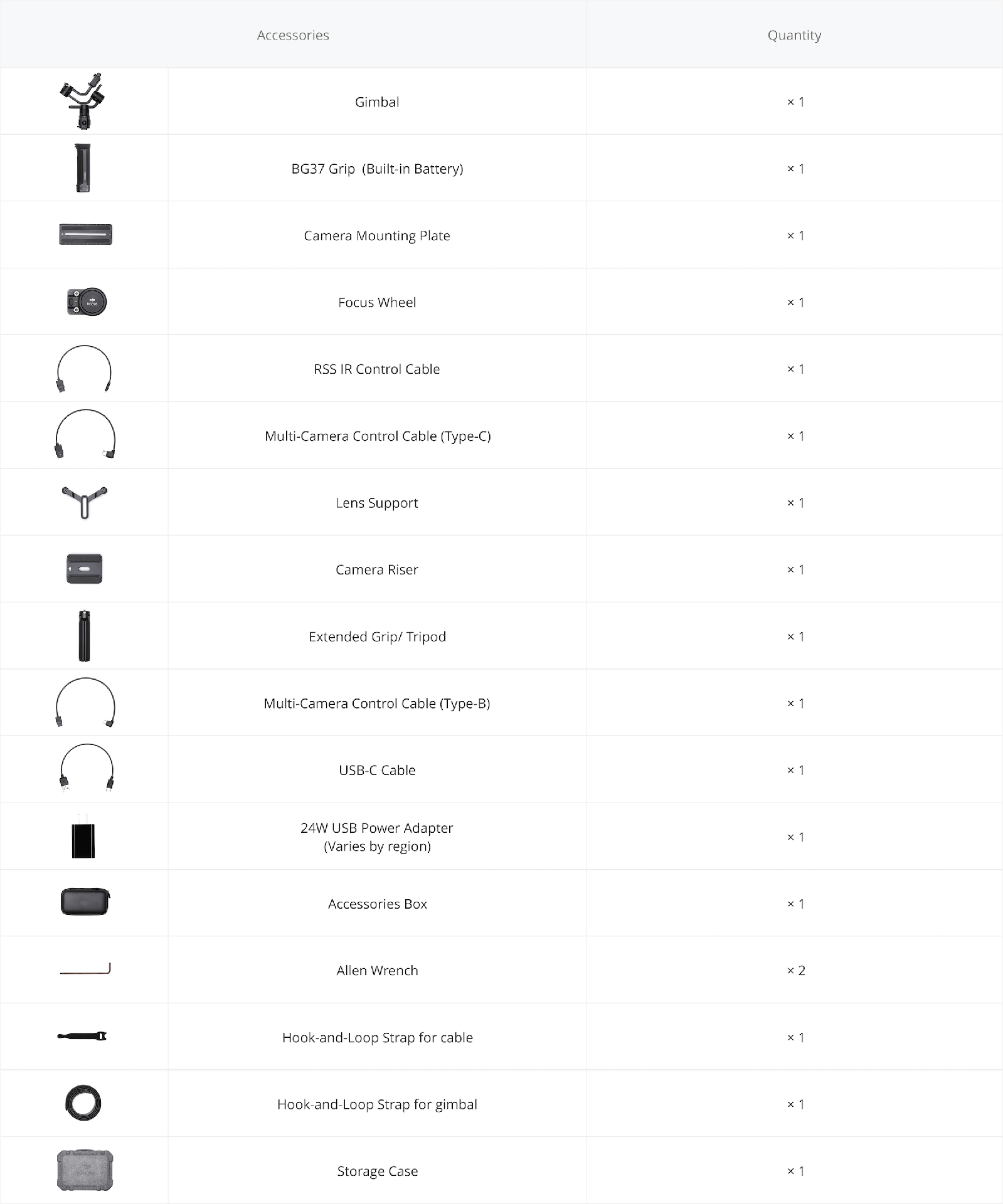
Yes. And you can fold it to extend the handle so you can handle it more comfortably with your hands.
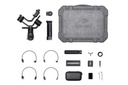
6. Is a carrying case included with the Ronin-S?
Yes.
7. Can I control Red or Arri cameras with the Ronin-S?
The Ronin-S does not support control of these cameras.
COMPATIBILITY AND CONNECTIVITY
1. How can I tell if my camera is compatible with the Ronin-S?
Please check the compatible camera list here.
2. What is the maximum possible focal length with the Ronin-S?
According to our test results, the Ronin-S can capture stabilized footage with a USM IS 5D Mk IV + EF 85mm f/1.4L lens while being handheld operated.
3. What accessory power interfaces does the Ronin-S have?
The eight-pin connectors on both sides of the control panel can be used to connect to a power source or to the Ronin-S Focus wheel. The dual four-pin CAN Bus connector on the bottom of the camera mount can supply up to 24 W to various DJI accessories.
The RSS port can be used to connect to compatible cameras via specific cables; this allows access to camera controls such as start/stop recording or changing settings.
INTELLIGENT BATTERY
1. What type of battery does the Ronin-S use?
The Ronin-S uses an RB1 Intelligent Battery, 2400 mAh - 14.4 V
2. How long does the Ronin-S battery last?
A fully charged battery can power the Ronin-S for 12 hours of uninterrupted use, provided the gimbal is properly balanced.
3. How long does it take to fully charge the battery?
It takes approximately 2 hours to fully charge the battery using a 24W USB power adapter.
4. How can I charge the battery?
You just need to connect the grip to the Ronin-S stabilizer and charge the built-in battery via the USB-C port. An adapter will also be available so you can charge or discharge the battery without needing to connect it directly to the stabilizer.
APP SETTINGS
1.What is AutoTune?
The Ronin-S AutoTune can calibrate the motor stiffness based on the mounted payload, as well as change the adjustment level. AutoTune can be accessed through the "Configuration - Motor Parameters" page. It is necessary to mechanically balance the device before starting AutoTune. AutoTune has three preset adjustment levels, which allow you to change the stiffness value. The Low level optimizes AutoTune for slow movements. When the Ronin-S is going to be mounted on a vehicle for a high-speed shot, the High level can ensure the stabilizer performs optimally. The Mid level is designed to provide optimal performance in most situations. This is the default setting.
2.What is SmoothTrack?
SmoothTrack allows the Ronin-S to intelligently react to the operator's movements and follow them without the need for a second operator. You can selectively enable SmoothTrack on the Ronin-S's pan, tilt, and roll axes. For more instructions on how to use SmoothTrack, please refer to the manual.
3.How does the Motor Stiffness Settings work?
The motor stiffness value determines the Ronin-S motor's ability to hold the camera in position, which is critical for maintaining stability. Heavier payloads will require a higher stiffness value to ensure stable performance. If the stiffness value is not appropriate, optimal stabilization cannot be achieved. If you're not sure what value to set, you can use AutoTune to let the Ronin-S automatically calculate the optimal motor stiffness.
4.What is System Calibration and when should it be used?
System Calibration is designed to compensate for stabilizer drift caused by accumulated sensor errors. The Ronin-S must be placed still on a flat surface before starting the calibration process.
Use System Calibration when the stabilizer drifts or when the horizon is tilted.
INTELLIGENT CONTROL
1.What can I do with the Ronin app?
The Ronin app allows you to adjust the stabilizer's performance with options such as SmoothTrack, motor parameters, and various intelligent features.
2.Can I use a wireless remote control with the Ronin-S?
Yes, you can. The Ronin-S is also compatible with the DJI Master Wheels and the Force Pro, which connect via the DJI Pro wireless receiver. The Ronin-S can connect to D-Bus compatible systems, such as the Futaba series, through a port on the Focus wheel.
3.Does the Ronin-S include a GPS module? What is it for?
The Ronin-S does not include a GPS module. However, an optional GPS module will be available for sale for cases where the Ronin-S is mounted on a vehicle, to eliminate stabilizer position issues that could cause high inertia.
4.What intelligent features does the Ronin-S have?
Timelapse, Motion Timelapse, Panorama, and Track.
5.What is the wireless control range of the Ronin-S?
When controlled through the Ronin app, the range is 10 m. When controlled through third-party systems, the range may vary. Please refer to your device's documentation for details on its range. When connected via the DJI Pro wireless receiver, the control range can extend up to 3 km (2 mi) without obstacles or interference.
6.How many waypoints can I set for Motion Timelapse?
You can set up to five waypoints for Motion Timelapse.
7.Is the Ronin-S control joystick multidirectional?
Yes, the control joystick is multidirectional and can move up, down, left, right, and in all possible diagonals.
8.What is the front trigger for?
The front trigger allows you to disable SmoothTrack, center the stabilizer, and rotate it 180º, all instantly. For example, holding down the front trigger lets you switch from vertical mode to underslung mode in one continuous motion.
9.Can I reposition the stabilizer by hand?
Yes, the Ronin-S has push mode on the tilt, roll, and pan axes. This allows you to reposition the stabilizer manually.





 and then Add to Home Screen.
